
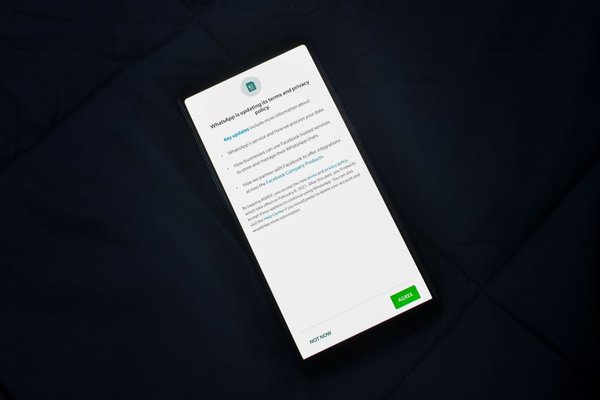
Social media accounts often reveal more than people realise. A public profile can expose your workplace, birthday, contact details, daily routine, relationships, and even the places you visit regularly. The risk is not limited to what you deliberately post. Default account visibility, contact syncing, location permissions, advertising preferences, tagging controls, and forgotten third-party connections can all widen the amount of information available to platforms or other people. Reviewing your social media privacy settings periodically is one of the simplest ways to reduce unnecessary exposure without giving up the services you enjoy.
Start with profile and account visibility
Begin by looking at your profile as a stranger would see it. Check whether your posts, stories, follower or friend lists, profile photo, birthday, hometown, workplace, education, relationship details, and other profile fields are public. Many platforms let you choose between public, followers, friends, selected people, or private visibility for different types of content.
Do not assume that making an account private automatically protects every profile detail. Some information may remain visible, depending on the service and the field involved. Review each section separately and remove details you no longer need to display. A useful rule is simple: if a piece of information does not help people identify or interact with you in the way you want, consider keeping it private.
Check how people can discover your account
Account visibility also includes discoverability. Some services can use your phone number, email address, or uploaded contacts to help other users find you. That can be convenient, but it may also connect an account to people you never intended to reach. Review settings that allow others to find you by email or phone number, and check whether contact syncing is enabled. If you previously uploaded an address book, look for an option to remove stored contacts as well.
Review location access and location sharing
Location deserves special attention because it can reveal patterns rather than a single fact. A tagged restaurant may seem harmless, but repeated location posts can expose where you live, work, exercise, study, or spend time with family. Check both the social platform’s privacy settings and your phone’s operating-system permissions. If an app does not genuinely need precise location, consider disabling it or allowing access only while the app is in use.
Review older posts for location tags too. Changing a current permission does not necessarily remove location information already attached to past content.
Control tagging, mentions, and audience creep
Your privacy can be affected by what other people post about you. Tagging and mention controls may let you decide who can tag you, who can mention you, or whether tagged content requires approval before appearing on your profile. Turn on review options where available, especially if your account mixes personal contacts, colleagues, customers, or public followers.
Pay attention to old posts too. A photo shared years ago may still be visible to a much wider audience than you would choose today. Some platforms provide tools for limiting the audience of older posts or reviewing past activity in bulk. Periodically cleaning up outdated content is often more effective than adjusting only future-post defaults.
Reduce unnecessary ad tracking and personalization
Social tracking can extend beyond the posts you create. Platforms may offer settings that influence personalized advertising, use of activity from partner websites or apps, and how account data is used for recommendations. These controls vary by service and country, so review the advertising, personalization, activity, or data-use sections rather than looking for one universal switch.
Turning off a personalization setting does not usually mean you will stop seeing advertisements. It generally changes how much certain data can be used to tailor them. The goal is not to make yourself invisible; it is to reduce data use that you do not find useful. For a deeper review, an ad tracking and browser privacy guide can help you check related settings outside social platforms as well.
Remove third-party apps you no longer use
Games, quizzes, editing tools, scheduling services, shopping apps, and sign-in-with-social features can create long-lived connections to your account. Open the connected apps, websites, integrations, or permissions section and remove anything you no longer recognise or use. When keeping an integration, review what information it can access and whether those permissions are still necessary.
A practical example: if you connected a photo-editing app two years ago to import pictures, deleting the app from your phone may not have ended the account connection. Removing that integration from the social platform is a separate step and can close an access path you had forgotten about.
Strengthen account security at the same time
Privacy settings work best when the account itself is secure. Use a unique password, enable two-factor authentication, review active sessions or logged-in devices, and make sure your recovery email and phone number are current. If the platform offers login alerts or security notifications, enable them. A private account that someone else can access is not private in practice.
A simple privacy review routine
You do not need to inspect every setting every week. A short review every few months, and after major app updates or account changes, is usually more realistic. Check profile visibility, discoverability, location, tagging, ad preferences, connected apps, active sessions, and two-factor authentication. Then open your profile while logged out, or use a platform’s public-view feature where available, to see what an unfamiliar person can actually find.
Frequently asked questions
How often should I review social media privacy settings?
A review every few months is a sensible baseline. Check sooner after a major platform update, a change in your job or personal circumstances, a suspicious login, or when you connect a new third-party service.
Does making my account private hide all my information?
No. A private-account setting usually limits who can see posts, but some profile details, usernames, profile photos, or other information may remain visible. Review individual profile fields and discoverability settings separately.
Should I turn off location access for every social media app?
Not necessarily. If you use a feature that genuinely requires location, you may choose limited access. The safer approach is to avoid continuous or precise location access when it is not needed and to think carefully before attaching location to public posts.
What should I do with apps connected to my social account?
Remove connections you no longer use or recognise. For services you keep, review their permissions and reduce access where possible. Deleting an app from your device does not always revoke its connection to your social account.
Keep privacy choices aligned with how you actually use social media
The best social media privacy settings are not identical for everyone. A creator may need a public profile, while someone using an account mainly for friends may prefer tighter visibility. What matters is making those choices deliberately. Review what strangers can see, limit unnecessary location and tracking, control tagging, remove forgotten app access, and secure the account itself. A few careful adjustments can significantly reduce unwanted data exposure while leaving the useful parts of social media intact.