
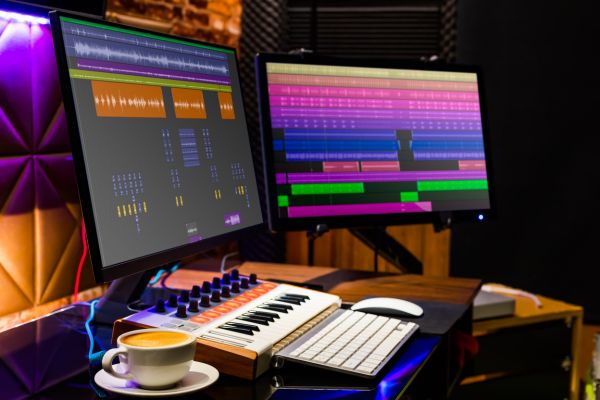
The Changing World of Music Production
Music production in 2026 feels more open than ever. A bedroom producer with a laptop can build a full track before breakfast, while a studio engineer can shape radio-ready mixes with tools that would have sounded impossible a decade ago. The gap between beginner and professional software has become smaller, not because every program is the same, but because creative tools have become more accessible, flexible, and surprisingly powerful.
Choosing the Best music production software is no longer just about asking which program has the biggest feature list. It is about workflow. Some producers need fast beat-making. Some want detailed audio editing. Others care about live performance, film scoring, vocal production, electronic sound design, or simply having a clean space to write songs without getting lost in technical menus.
The best choice is the one that helps you finish music, not just start it.
What Makes Music Production Software Worth Using
Good music production software, often called a DAW, should feel like a creative room rather than a complicated machine. It needs to record audio, arrange tracks, edit performances, mix sounds, and support instruments and effects. But beyond that, it should match the way a creator thinks.
A singer-songwriter may want simple recording, warm virtual instruments, and clean editing. An electronic producer may care more about loops, MIDI control, automation, and sound design. A mixing engineer might look for routing, precision editing, plugin support, and stability during large sessions.
In 2026, most major DAWs are capable of professional results. The real difference lies in how quickly you can move from an idea to a finished track.
Ableton Live for Electronic Producers and Performers
Ableton Live remains one of the most recognizable names in modern production because it treats music like something that can be built, rearranged, and performed in real time. Its session-based workflow is especially useful for electronic music, hip-hop, pop production, live sets, and experimental sound design.
The software feels fast when working with loops, samples, clips, and automation. Producers can sketch ideas without committing too early, then move those ideas into a full arrangement. That flexibility is why Ableton has become popular with creators who like to build songs from grooves, textures, and repeating patterns.
It is not limited to electronic music, of course. Vocals, guitars, drums, and full arrangements can all live comfortably inside Ableton. Still, its greatest strength is the way it encourages movement. It feels less like writing on paper and more like playing with sound in your hands.
Logic Pro for Mac-Based Songwriters and Producers
Logic Pro continues to be a strong choice for Mac users who want a polished, complete production environment. It has long been popular among songwriters, producers, composers, and home studio creators because it balances depth with approachability.
For someone working on pop songs, vocals, guitar arrangements, orchestral layers, or beat-driven productions, Logic offers a smooth creative space. Its built-in instruments and effects are one of its biggest advantages. A producer can start writing without immediately needing extra plugins, which makes the software feel generous and practical.
Logic also suits creators who prefer a traditional timeline-based workflow. You record, arrange, edit, and mix in a way that feels familiar, but still modern. For Mac users searching for the Best music production software with a strong all-in-one feel, Logic remains difficult to ignore.
FL Studio for Beat-Making and Fast Ideas
FL Studio has a particular energy. It is quick, colorful, and built around a workflow that many beat-makers find natural. The step sequencer, piano roll, and pattern-based approach make it easy to create drums, melodies, basslines, and full arrangements without feeling slowed down.
It is especially popular in hip-hop, trap, EDM, and pop production. That does not mean it is only for those genres, but its design clearly favors fast idea creation. The piano roll is one of its best-loved features, and for producers who write melodies by drawing notes, it can feel very comfortable.
FL Studio also has a strong culture around it. Many modern producers learned through tutorials, shared project files, and online beat-making communities. For beginners, that matters. Software is easier to learn when there is a large community using it every day.
Pro Tools for Recording, Editing, and Studio Work
Pro Tools still carries a serious studio reputation. It is widely associated with professional recording, editing, mixing, and post-production environments. While many DAWs can produce excellent music, Pro Tools is often chosen when precision audio work is the priority.
Its strengths show up in vocal recording, band sessions, dialogue editing, comping, and detailed mixing workflows. Engineers who work with large audio sessions often appreciate its editing tools and studio familiarity. For creators who plan to collaborate with professional studios, learning Pro Tools can also make file exchange and session work smoother.
It may not feel as playful as Ableton or FL Studio, especially for beat-making, but that is not really its personality. Pro Tools is more like a well-built control room. It rewards careful work, clean organization, and technical confidence.
Cubase for Composers and Detailed MIDI Work
Cubase has a long history and remains respected among composers, producers, and musicians who want detailed MIDI control. It is especially useful for people working with virtual instruments, film scoring, orchestral mockups, and complex arrangements.
The software gives creators plenty of room to shape performances. MIDI editing, expression control, arrangement tools, and mixing features all feel designed for serious production. It can look dense at first, but once learned, it becomes a powerful environment for building layered music.
For composers who use many tracks, instruments, and tempo changes, Cubase offers a deep toolkit. It is not always the simplest entry point, but it has the kind of structure that rewards patience.
Studio One for a Modern, Balanced Workflow
Studio One has grown into a strong option for producers who want a clean, modern workflow without sacrificing power. It feels approachable but not basic. Recording, arranging, mixing, and mastering can all happen in a connected environment, which helps creators keep projects organized from start to finish.
One of Studio One’s strengths is its sense of flow. Drag-and-drop actions, clear navigation, and integrated tools make it feel less cluttered than some older DAWs. It suits songwriters, producers, podcasters, and engineers who want flexibility without feeling buried under menus.
For creators who have tried other software and felt overwhelmed, Studio One can feel like a fresh start. It does not force one narrow production style, which makes it a good middle-ground choice.
Reaper for Budget-Conscious and Technical Creators
Reaper is known for being lightweight, flexible, and surprisingly powerful. It may not look as glossy as some competitors, but it has earned respect among musicians, engineers, sound designers, and technically minded users.
The appeal of Reaper is control. It can be customized deeply, runs efficiently, and handles recording and editing with serious capability. For users with older computers or modest setups, its performance can be a major advantage.
Reaper may take more effort to shape into a personal workflow, but that is also part of its charm. It is a practical choice for creators who care less about flashy presentation and more about speed, stability, and flexibility.
GarageBand for Beginners Learning the Basics
GarageBand deserves a place in this conversation because not every creator needs advanced software on day one. For beginners on Mac, it offers a friendly introduction to recording, loops, MIDI instruments, and basic mixing.
It is not meant to replace a full professional DAW for every use case, but it is excellent for learning. A student, hobbyist, or new songwriter can make real music without worrying too much about setup. The interface is clean, the sounds are usable, and the learning curve is gentle.
Many producers eventually move from GarageBand to Logic Pro because the transition feels natural. As a starting point, GarageBand is still one of the easiest ways to understand how music production works.
Choosing the Best Music Production Software for Your Style
The Best music production software depends on what kind of creator you are. Ableton Live makes sense for loop-based creation and performance. Logic Pro is excellent for Mac users who want a complete songwriting and production environment. FL Studio is fast and inspiring for beat-makers. Pro Tools fits recording and editing professionals. Cubase suits composers and detailed MIDI users. Studio One offers balance and modern flow. Reaper works beautifully for those who value control and efficiency.
There is no single winner for everyone. A producer making club tracks may feel at home in Ableton or FL Studio. A songwriter recording vocals and guitars may prefer Logic or Studio One. Someone editing full band sessions may lean toward Pro Tools or Reaper. The right software should support the way ideas naturally arrive.
Final Thoughts on Music Production Software in 2026
Music production software has reached a point where almost every major option can create professional results. That makes the decision both easier and harder. Easier, because there are fewer bad choices. Harder, because the best choice depends so much on personal workflow.
The smartest approach is to think about the music you actually want to make. Do you build from samples, write on instruments, record vocals, compose for media, mix for clients, or experiment with sound design? Once that is clear, the software decision becomes less about popularity and more about fit.
In 2026, the best studio is not necessarily the most expensive one. It is the one that helps you stay creative, finish more songs, and enjoy the process of turning sound into something real.