
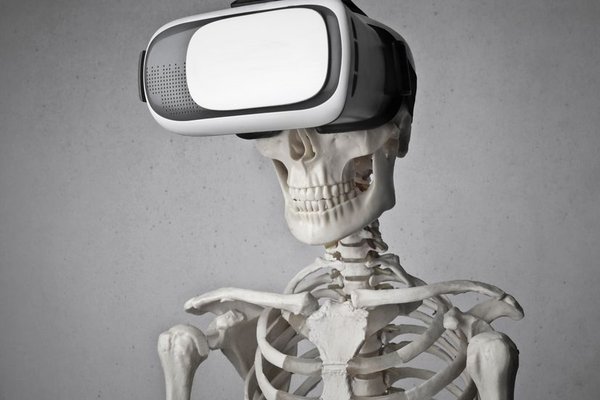
Put on AR glasses and you can still see the desk, people and doorway in front of you. Put on a VR headset and a digital environment can take over your view. That difference changes how each device feels, what it does well and where it becomes frustrating.
In the AR glasses vs VR headset comparison, the better choice depends on a practical question: do you want digital information alongside your surroundings, or do you want to step inside a digital experience?
The Core Difference: Adding to Reality or Replacing It
Augmented reality adds digital elements to a view of the physical world. Optical see-through AR glasses let you look through lenses while viewing projected information. Advanced systems may position instructions or 3D objects relative to real surfaces. Virtual reality uses displays and lenses to fill your view with a computer-generated scene, tracking your movements so the scene responds naturally.
There is a naming trap. Some products marketed as AR glasses are primarily wearable monitors: they display a floating screen but cannot recognise a table or anchor an object to it. Camera-equipped smart glasses may take photos or provide audio assistance without displaying graphics. Check the actual features rather than the label.
Immersion and Awareness: Two Different Experiences
What You Can See Around You
AR eyewear usually keeps your surroundings visible, useful when you need to read instructions and handle physical objects. Bright daylight, reflections and a limited display area can make overlays harder to see.
VR headsets generally block direct sight of the room. Many newer models offer camera passthrough, displaying a video view with virtual elements layered over it. That enables mixed reality, but looking through cameras is not identical to looking through transparent lenses. Camera quality, distortion and latency affect the experience.
Field of View and Sense of Presence
VR typically places digital imagery across a wider visual area, making virtual worlds and 3D games more convincing. Lightweight display glasses often provide a smaller viewing window. A claimed giant virtual screen does not mean the image fills your vision; perceived size depends on the optics and viewing setup.
Controls, Tracking and Interaction
VR experiences commonly use tracked controllers, hand tracking or both. Sensors can follow head rotation and, on supported systems, movement through space. This lets you reach for virtual objects or explore a simulated room.
AR glasses vary. Some use touch controls or a connected phone; others support voice, gestures or spatial tracking. Basic display glasses may only mirror a laptop screen. For an immersive headset comparison, check whether each device supports orientation tracking, positional tracking and the applications you need.
Comfort, Portability and Everyday Practicality
AR glasses tend to be easier to pack and less isolating. They can suit a train journey, a quick video session or glanceable instructions. Yet nose pressure, fit, prescription compatibility and cables still matter.
VR headsets usually have larger housings, straps and optical assemblies. Weight distribution, lens adjustment, heat and eye comfort influence session length. People prone to motion sickness may feel discomfort when movement in the virtual scene does not match physical sensations.
Neither category is automatically safe for walking in traffic or using machinery. Overlays can distract, and VR passthrough is not a substitute for unobstructed vision when safety matters.
Hardware Requirements, Apps and Costs
Some AR display glasses need a compatible phone, laptop or handheld console for video and power. USB-C alone does not guarantee support: a device may need DisplayPort video output or an adapter. Standalone AR systems have different processing and battery requirements.
VR options include standalone headsets and models that depend on a gaming PC or console. Standalone devices can simplify setup, while PC-connected VR may run demanding software on capable hardware. Beyond the purchase price, consider accessories, prescription inserts, apps and any required host device.
A guide to wearable display technology and an explanation of head tracking can clarify why similarly priced products behave differently.
Which Format Fits Your Main Use Case?
Working With Real Objects
Imagine repairing a bicycle while following visual instructions. An AR interface could keep the next step in view without replacing the bicycle with a virtual model. Genuine spatial overlays may align guidance with the object; basic screen-mirroring glasses simply show an instruction panel.
Gaming and Immersive Training
If you want to explore a fantasy world, practise a simulated procedure or play a room-scale game, VR is generally stronger. Its visual coverage and tracked interaction make the environment itself the experience. You still need clear floor space and an appropriate safety boundary.
Travel, Films and Private Screens
Wearable display glasses can be appealing for watching films or extending a laptop display where a monitor will not fit. They are often easier to carry than VR headsets. Confirm compatibility with your phone or computer, especially if you expect one-cable operation.
Collaboration, Design and Visualisation
AR can help a team examine a proposed object in the room where it may sit. VR is better suited to exploring an entirely proposed interior. Mixed-reality headsets blur this boundary, so application support and tracking quality should guide the choice.
A Quick Buying Test Before You Decide
Write down your most frequent task, then test it if a demonstration is available. Read small text through AR glasses, look towards bright light, check prescription fit and confirm connections. With VR, assess edge clarity, adjust the lenses, move your head and notice the balance.
Compare smart glasses vs VR by software availability too. A comfortable display is of limited use if it cannot run the game, learning app or workspace you actually need. A smart glasses buying guide may help you identify features worth paying for.
Frequently Asked Questions
Are AR glasses better than VR headsets for everyday use?
They may be better for portable screens and quick tasks that require awareness of your surroundings. VR is usually better for full immersion. The right choice depends on your routine.
Can a VR headset also do augmented reality?
Some VR headsets use outward-facing cameras for passthrough mixed reality, including virtual objects placed in a room. The surroundings appear through video rather than transparent optics.
Do AR glasses work without a phone or computer?
Some need external hardware for video, power or processing; more advanced devices can be self-contained. Check the manufacturer’s connection requirements before buying.
Which is better for watching movies?
Both can provide a private, large-looking screen. Display glasses often win on portability and awareness; VR offers a more secluded cinema-like setting but adds bulk.
The Bottom Line
The meaningful distinction in augmented reality vs virtual reality is where your attention goes. AR keeps the physical world central and adds digital content; VR makes a digital world central. Choose AR glasses for information or screens alongside daily life, VR for interactive immersion, and a mixed-reality headset when you need both. Then verify display, tracking, software and compatibility claims before spending.