
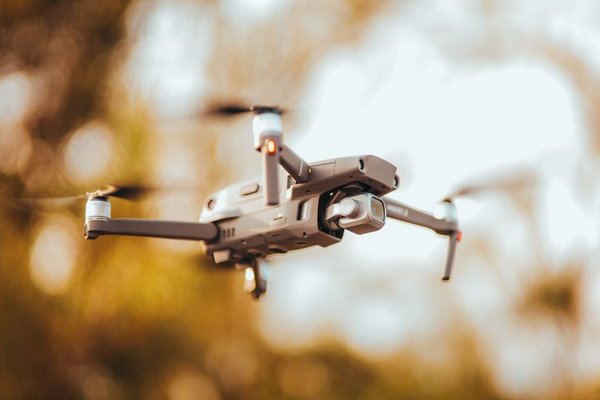
A drone can advertise 5.1K video and still produce softer footage than another model recording in 4K. That sounds counterintuitive until you look beyond the resolution label. Flying cameras balance sensor performance, processing, compression, frame rate and sometimes a cropped field of view. Understanding those trade-offs makes it easier to compare specifications—and choose settings that actually improve your footage.
What 4K and 5.1K Mean on a Drone
Resolution describes the pixels recorded in each video frame. Standard UHD 4K is 3840 × 2160 pixels, roughly 8.3 million pixels per frame. DCI 4K uses 4096 × 2160, a slightly wider cinema-oriented format. On drones such as the DJI Mavic 3, 5.1K means 5120 × 2700, or about 13.8 million pixels.
That gives 5.1K more recorded pixels than UHD 4K, but not automatically more visible detail. Their aspect ratios also differ. The Mavic 3’s 5.1K frame is wider than 16:9 UHD 4K, so matching footage on a timeline may require cropping.
Higher drone video resolution is useful for delivering 4K after modest cropping, correcting the horizon or creating a slow push-in during editing. For a finished 1080p video, clean 4K material often provides ample room to reframe.
Why More Pixels Do Not Guarantee Sharper Video
The sensor must capture genuine detail before the processor turns it into a video file. High-resolution recordings can still look disappointing if the lens is soft, noise reduction smears texture or the camera samples its sensor inefficiently.
Sensor size and available light
A larger sensor can often gather more light under comparable conditions, supporting cleaner shadows and a wider usable tonal range. Sensor design, lens aperture and processing matter too. Comparing a 4K drone camera with a higher-resolution competitor solely by pixel count overlooks what those pixels actually contain.
Watch distant treetops, roof tiles and grass in sample footage. Heavy sharpening may make edges look crisp while the texture looks mushy. A camera sensor size guide is a useful companion when assessing low-light claims.
Oversampling versus enlargement
Some cameras read more sensor information than the final video requires, then downsample it to 4K. Done well, oversampling can preserve fine detail and reduce artifacts. Other modes may skip lines or combine pixels. A 4K label alone cannot reveal the difference.
Frame Rate Changes Your Options
Frame rate is the number of images captured per second. At 24 or 25 fps, motion has a familiar cinematic cadence. At 30 fps, it looks slightly smoother. At 60 fps, fast action is easier to follow, while 120 fps supports slow motion when interpreted on a 30 fps timeline.
High-frame-rate modes sometimes restrict resolution, color options or sensor coverage. DJI, for example, lists 5.1K recording up to 50 fps on the Mavic 3, while certain 4K modes reach 120 recording fps for slow-motion playback. Check the exact camera mode, not just the biggest specification.
For a gentle coastal reveal, 4K at 25 or 30 fps may be ideal. For a cyclist moving below the drone, 60 fps may suit better. A drone frame rate settings guide can help match capture speed to the edit.
Crop Modes and Field of View
Changing video mode can change framing. A crop uses a smaller portion of the sensor, making the scene look closer even though the lens has not zoomed. That may help with a distant subject but frustrate anyone filming a broad landscape or large building.
Compare equivalent focal lengths, field of view and crop notes at each resolution and frame rate. Check your composition before planning the flight. Digital zoom also magnifies an image without adding genuine optical detail, so consider it separately from native resolution.
Why Drone Bitrate and Codecs Matter
Bitrate describes how much data is allocated to video over time, usually in megabits per second (Mbps). With the same codec, resolution and frame rate, a higher bitrate generally gives the encoder more room to preserve demanding details like moving foliage and rippling water.
However, the maximum advertised drone bitrate is not necessarily used in every mode. Variable-bitrate encoding adjusts with scene complexity. Nor are identical H.264 and H.265 bitrates directly comparable: their compression efficiency differs, and implementation affects the result.
More data creates larger files. As a rough example, recording continuously at 100 Mbps uses about 750 MB per minute before overhead. Actual file sizes vary. Consider memory cards, transfer speed and computer performance alongside aerial video quality.
Color Depth and Dynamic Range
Drone footage often places brilliant clouds above shadowed buildings or fields. Dynamic range is the amount of bright and dark detail a camera can retain. Flat or log-style color profiles may give greater grading flexibility, provided exposure is controlled and the underlying recording is capable.
Many cameras offer 8-bit or 10-bit modes. Ten-bit recording provides finer tonal gradations and can be more forgiving during substantial grading, but it cannot recover completely clipped highlights. Check whether your chosen resolution and frame rate actually support the desired color profile.
Try This Repeatable Flight Test
Imagine filming a river lined with trees at sunset. Record the same slow, steady movement in 4K/30 and, if available, 5.1K/30. Keep exposure, white balance, focus and color profile consistent. Avoid changing the gimbal angle or altitude between takes.
Compare branches, repeating roof patterns, moving water and gradations in the sky at the same viewing size. Does 5.1K retain extra texture, or just produce a bigger file? Export both clips at your actual delivery resolution and repeat the comparison. The final export may tell a different story from viewing source clips enlarged to 200 percent.
Test again near dusk if you frequently fly in low light. A camera that looks outstanding at noon may behave differently after sunset. Learning how to shoot smooth aerial video also helps separate motion blur and vibration from resolution problems.
Choosing the Right Recording Setting
Choose 4K for versatile everyday work, reasonable storage and efficient editing. Choose 5.1K or beyond when cropping room, stabilization or a higher-resolution master has a clear purpose. When comparing drones, prioritize sensor performance, useful frame rates, exposure control and compression quality over headline pixels.
Frequently Asked Questions
Is 5.1K noticeably better than 4K?
Sometimes, especially when cropping or inspecting fine textures. On a typical screen at normal viewing distance, the difference may be subtle.
Does a high-megapixel sensor guarantee better 4K?
No. Photo megapixels are separate from how the sensor is read and processed for video. Lens quality and noise reduction matter too.
Should I always use the highest frame rate?
No. Use it for action or slow motion. Lower frame rates may offer different crop, color or exposure options and suit normal-speed footage better.
Is 4K good enough for professional aerial videos?
Often, yes. Composition, smooth movement, accurate exposure and a clean recording workflow matter as much as resolution.
Final Thoughts
The best drone camera is not necessarily the one with the largest resolution number. Compare sensor behavior, frame rate, field of view, codec, bitrate and color options together. Then judge sample footage at the size you intend to publish. That’s how specifications become reliably good aerial video.